exporter Chrome extension
A Chrome extension that turns any web page, or just the elements you pick, into a clean, paginated PDF with real selectable text. It runs entirely on-device: no uploads, no account, no tracking.
Role
Creator & sole developer
Period
Sep 2026
Stack
- TypeScript
- Manifest V3
- Chrome DevTools Protocol
- Vite
- Vitest
- Playwright
- jsPDF
- html2canvas
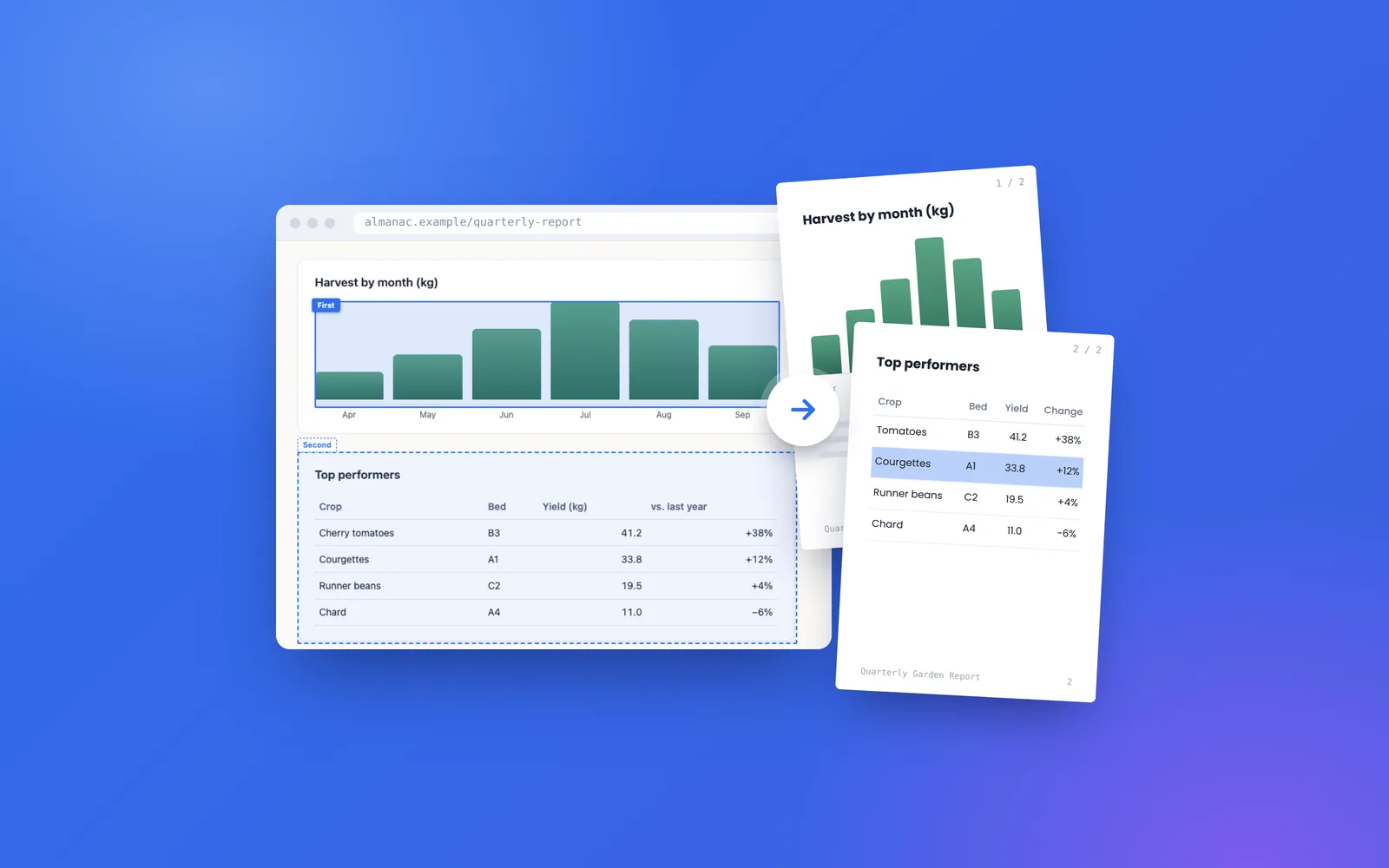
The problem
Most "save as PDF" tools either upload the page to a server to convert it, or wrap a screenshot in a PDF, so the text can't be searched or copied. None of them let you pull out just the parts you care about, like three charts from a dashboard or a receipt without the sidebar, as a tidy document. I wanted a converter that makes real documents and never lets the page leave the browser.
Approach
- Drove Chrome's own print engine through the DevTools protocol (Page.printToPDF), attaching the debugger for exactly one call and detaching it in a finally block, so the output keeps selectable text, real page breaks and vector graphics.
- Exported picked elements by narrowing the input instead of cropping the output: one temporary stylesheet hides everything except the picks and forces a page break after each, so a single print call gives one page per element.
- Tracked down the layouts that break pagination (min-height wrappers, aspect-ratio boxes, multi-column and flex ancestors) and covered them with Playwright tests against a real Chromium.
- Added an html2canvas + jsPDF fallback behind the same interface for tabs where the debugger can't attach, with the popup explaining the trade-off.
- Made privacy verifiable: no content scripts, activeTab instead of host permissions, sender checks on every message, sanitised filenames, and a build step that fails if the shipped bundle contains any network or remote-code path.
Outcomes
100%
on-device: zero network requests, no account and no analytics, checked at build time
Pick up to 30 elements per export, each on its own page, in document order
End-to-end tests assert that n picked elements produce exactly n PDF pages across four layout hazard profiles
Published on the Chrome Web Store with a single-purpose listing and a written justification for every permission
Gallery
Opens a dialog lightbox: arrow keys move, Esc closes, focus returns to the thumbnail. Alt text shows as the caption.